 Anthony McGrath
What does Google Analytics 4 setup involve?
Google Analytics 4 setup covers set-up, events, ecommerce, consent and privacy, reporting and training. Common problems include duplicate purchase events, missing revenue, self-referrals from payment pages, internal traffic counted as customers and Consent Mode set up in a way that hides most of your data. Anthony McGrath does the work himself, with 22 years in digital marketing, for businesses in the UK, the US, Dubai and Australia.
- Best for
- Businesses that rely on their data for ads, reporting and decisions
- What you get
- Set-up, Events, Ecommerce, Consent and privacy, Reporting, Training
- First step
- Audit: what fires, what is missing and what is counted twice, across every platform.
- Where
- The UK, the US, Dubai and Australia, working remotely across time zones
- Who does the work
- Anthony McGrath, hands-on, with 22 years in digital marketing
Why GA4 data is so often wrong
Common problems include duplicate purchase events, missing revenue, self-referrals from payment pages, internal traffic counted as customers and Consent Mode set up in a way that hides most of your data.
Every setup is planned, built in Tag Manager, tested event by event and documented, so anyone on your team can see what is tracked and why.
Before and after
An example of fixing a GA4 setup on an online store.
- Revenue in GA4 compared with Shopify: 72% before, 98% after
- Purchases counted twice: 14% before, 0% after
- Self-referral sessions from payment pages: 9% before, 0% after
An example of the kind of change this work aims for, based on typical starting points. It is not a promise or a specific client result: every business starts somewhere different.
What's included
Set-up, fixes, reports and training.
Set-up
- GA4 properties and data streams
- Google Tag Manager containers
- Internal traffic and spam filters
- Data retention and settings
Events
- Key events and conversions
- Forms, calls and clicks
- Scroll, video and downloads
- Custom dimensions
Ecommerce
- Product views to purchases
- Refunds and promotions
- Shopify and WooCommerce
- Revenue matched to your shop
Consent and privacy
- Consent Mode v2
- Cookie banner integration
- UK GDPR and PECR
- Data from consented users only where required
Reporting
- Explorations and funnels
- Looker Studio dashboards
- BigQuery export
- Channel groupings that fit you
Training
- A walkthrough for your team
- Written tracking plan
- Which reports to check weekly
- Ongoing support
How it works
- AuditWhat fires, what is missing and what is counted twice, across every platform.
- PlanA tracking plan: every event, where it goes and why.
- BuildSet up in Google Tag Manager, server-side and the ad platforms, with clean naming.
- Test and hand overTested end to end and documented, so you know exactly what is tracked.
Platforms and tools
Latest GA4 setup news
Short, plain-English updates on what is changing and what to do about it.
Google Search Update Adds Agents and Universal Cart
Google expands agentic AI capabilities in search with new information agents and a Universal Cart, changing how shoppers research and buy.
Read the update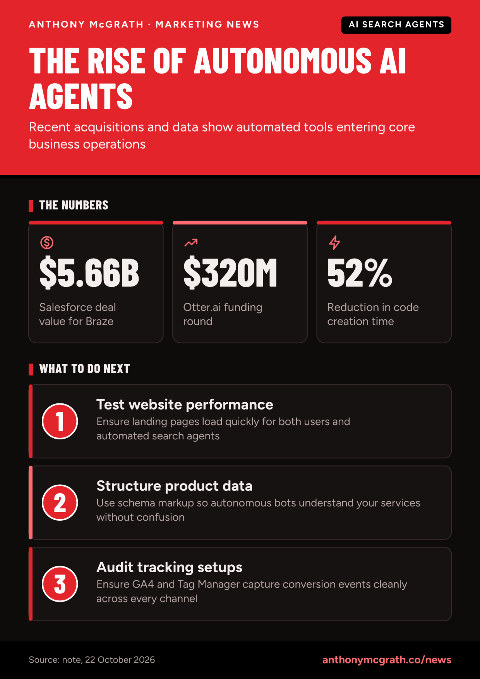
How AI Search and Agents Are Changing Online Tasks
AI tools are shifting from basic chat boxes to autonomous agents that handle live business tasks. Here is what recent moves from Salesforce, Google, and OpenAI mean for you.
Read the updateAutomate GA4 Weekly Metrics with AI SQL and BigQuery
Automate GA4 weekly reports by letting AI write SQL, verify it mechanically, and update your BigQuery table every Monday.
Read the updateAI Search Impacted by Critical PHP Flaws in WordPress
Urgent PHP security flaws affect WordPress and AI search tools. Learn the risks and how to secure your site this week.
Read the updateGA4 and ChatGPT: Understanding the 27x Conversion Difference
ChatGPT achieves 27 times higher conversion rates than Google search. Adjust your GA4 setup to track AI chat traffic separately and optimise marketing.
Read the updateTop Shopify Agencies for 2027: Support Your Growing Store
Growing Shopify stores often need expert agencies beyond freelancers. PC Tech Magazine lists the best Shopify agencies for 2027.
Read the updateQuestions
Can you fix my existing GA4?
Yes. Most work starts with an audit of the current setup, then fixes to events, ecommerce and settings.
Do I need Google Tag Manager?
It is strongly recommended. Tag Manager keeps tracking organised and makes changes easier without touching your site code.
Will GA4 match my Shopify revenue exactly?
It will not match to the penny because of consent and ad blockers, but a good setup gets close, and server-side tracking closes more of the gap.
Can you build dashboards?
Yes. Looker Studio dashboards that show the numbers your business cares about, updated automatically.

About Anthony McGrath
Tip of the day
Avoid tiny split audiences. Combine similar ad sets so Meta gets enough conversion data to exit learning phase.
A UK-based freelance digital marketer with 22 years across Shopify, WordPress, WooCommerce, Magento, conversion rate optimisation, funnels, Google, Meta and TikTok ads, SEO and tracking. He works directly with businesses in the UK, the US, Dubai and Australia, so the person who plans the work is the person who does it. More about Anthony or connect with him on LinkedIn.
Get numbers you can trust
Send your site and what you need to know from your data. You get a review of your setup and a plan.
Get your GA4 checked